
安装 Codex CLI
使用npm 全局安装 Codex CLI:
配置 ApiGo API
重要提示:使用前请先清除 OpenAI 环境变量 在配置前,请确保清除以下 OpenAI 相关的环境变量,以免影响 ApiGo API 的正常使用:
OPENAI_BASE_URLOPENAI_API_KEY
选择接入方式
- @apigo/vibe-coding
- 手动配置(当前方式)
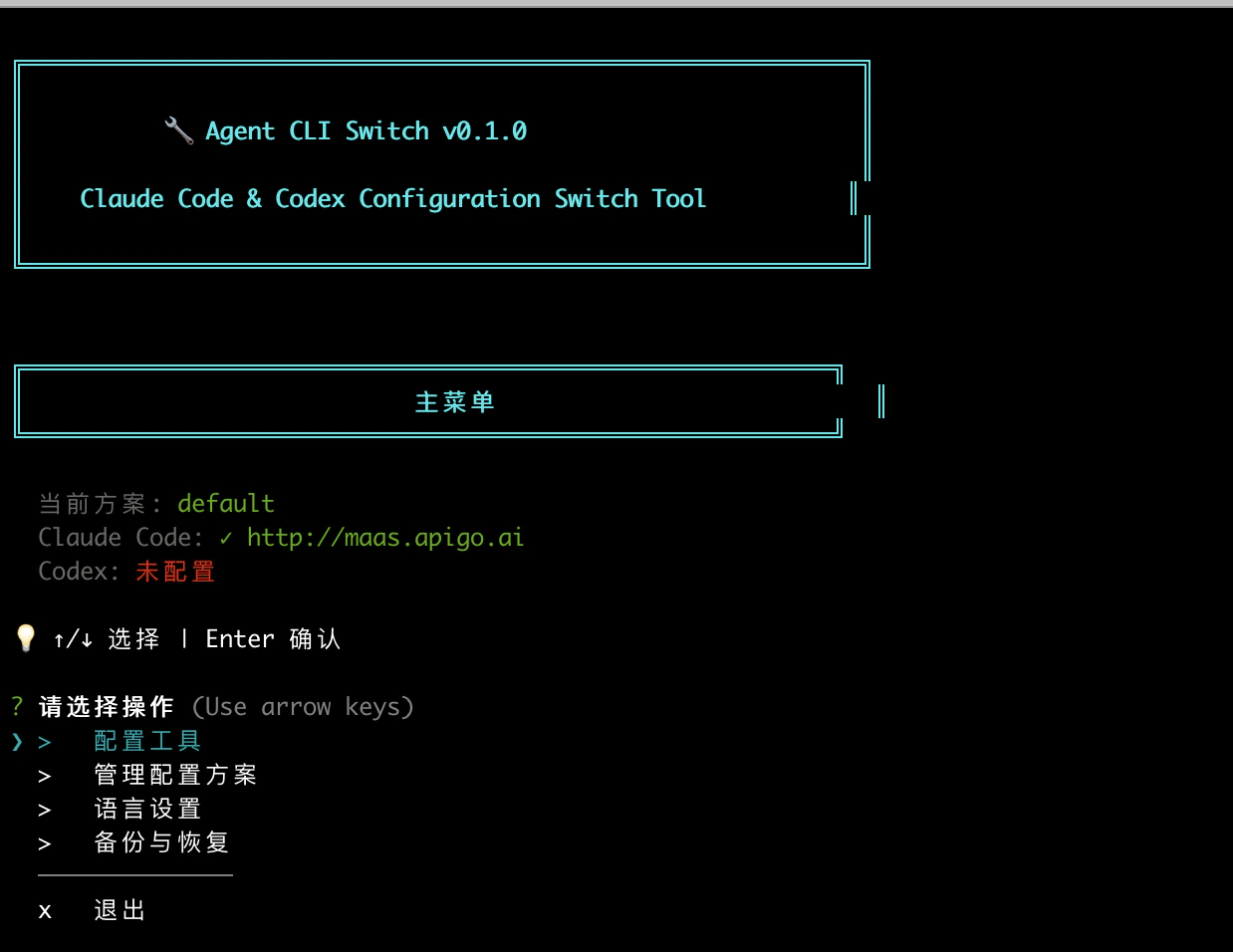
@apigo/vibe-coding 对应的是交互式终端工具 Agent CLI Switch。这一方式会直接帮你切换和写入 Codex 配置。可按截图中的实际流程操作:- 打开 Agent CLI Switch v0.1.0。
- 在 主菜单 中选择 配置工具。
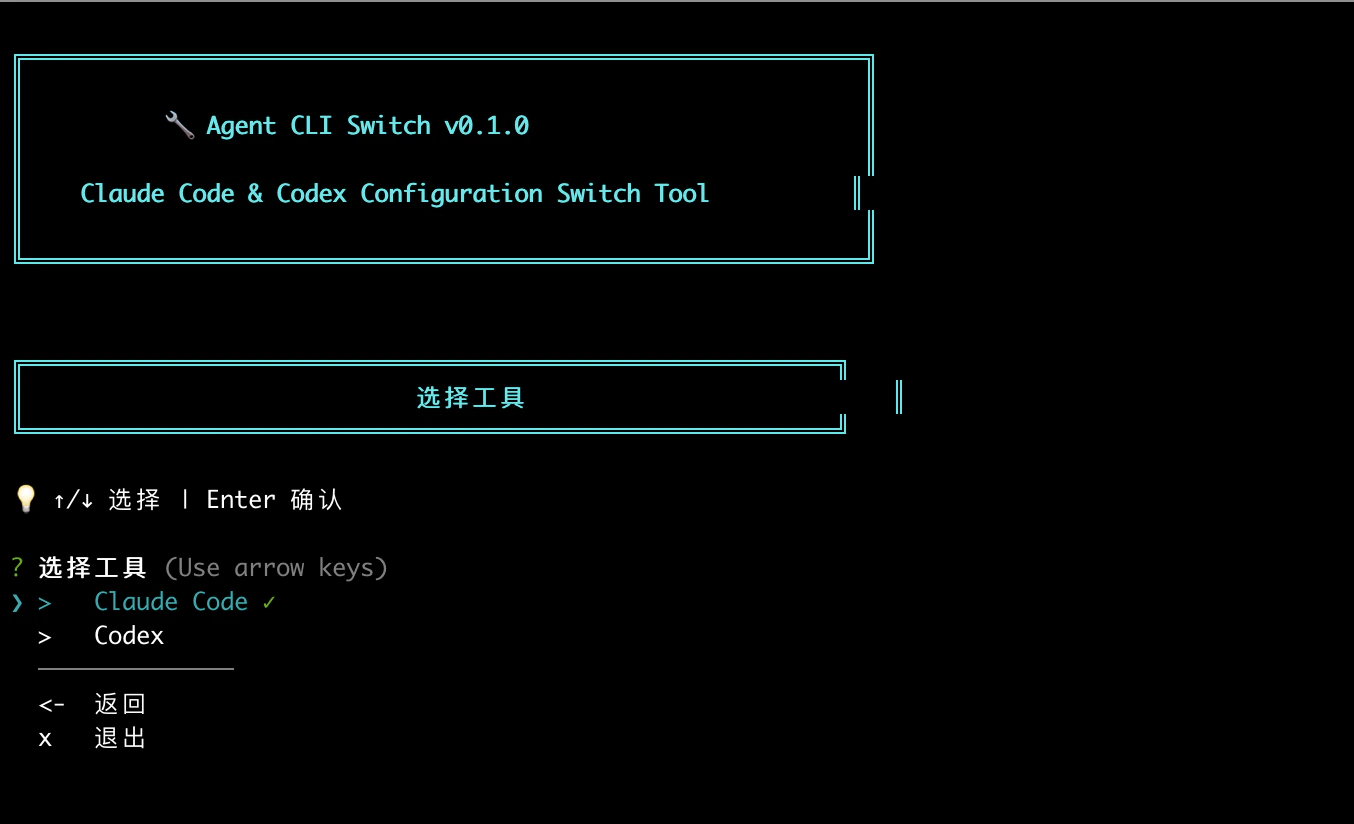
- 进入 选择工具,选择 Codex。
- 进入 Codex 编辑配置 后,按提示输入:
API 地址:https://maas.apigo.ai/v1API Key:你的 ApiGo Key - 看到“配置已保存”后,选择立即应用配置。
codex 即可。使用前请先到 模型广场 确认 Token Plan 当前支持的模型 ID,再按需选择。